Maintenance Mode in VMM allows you to perform upgrades or other administrative duties that would not be possible with running virtual machines. For a non-clustered VMM server, the VMs are placed in a saved state. In a cluster VMM environment, you will get two options:
Live migrate all highly available VMs, place non-highly available VMs in a Saved state.
Place all VMs in a saved state.
Below you can see three virtual machines that are running. This is a screen shot from VMM.

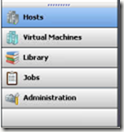
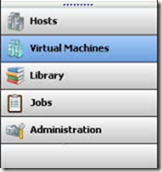
To enter maintenance mode, click the Hosts management option.
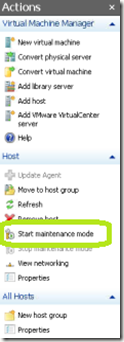
Now click Start Maintenance Mode in the Actions pane.
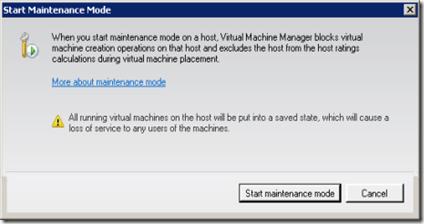
Click Start Maintenance Mode.
You will see the Start Maintenance Mode job running.
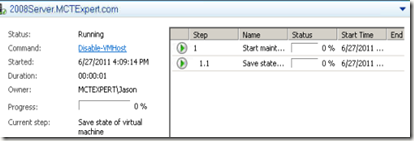
This will take some time depending on how many VMs are running on the host, if they are being saved or failed over, and how many VHDs are involved.
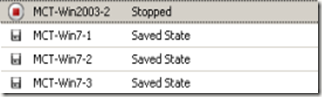
Clicking on the Virtual Machines management windows shows us that our VMs are now in a saved state.
Once you have completed your maintenance, click on the Host window option and then click Stop Maintenance Mode from the Actions pane.
The Stop Maintenance Mode job will start.
Once you are out of maintenance mode, you will have to manually start any VMs that were placed in a saved state and fail back over any VMs that were moved to another node in a failover cluster.
Live migrate all highly available VMs, place non-highly available VMs in a Saved state.
Place all VMs in a saved state.
Below you can see three virtual machines that are running. This is a screen shot from VMM.

To enter maintenance mode, click the Hosts management option.

Now click Start Maintenance Mode in the Actions pane.

Click Start Maintenance Mode.

You will see the Start Maintenance Mode job running.

This will take some time depending on how many VMs are running on the host, if they are being saved or failed over, and how many VHDs are involved.
Clicking on the Virtual Machines management windows shows us that our VMs are now in a saved state.


Once you have completed your maintenance, click on the Host window option and then click Stop Maintenance Mode from the Actions pane.
The Stop Maintenance Mode job will start.
Once you are out of maintenance mode, you will have to manually start any VMs that were placed in a saved state and fail back over any VMs that were moved to another node in a failover cluster.
Comments